


Mini Football - Soccer Games
4.711.21K Reviews
App Specs
- Version
- 4.13.1
- Updated On
- License
- Free
- Downloads
- 50,000,000+
- Developer
- Miniclip.com
- Categories
- Sports
- Platform
- Android, iOS
Screenshots
 Analysis by AppCompare
When I want a soccer game that fits into a short break, I look for matches that get moving quickly and controls that don’t ask me to study a manual first. Mini Football - Soccer Games is built around that kind of pick-up-and-play appeal. It is a sports game from Miniclip.com, and its bright presentation gives the familiar act of moving the ball toward goal a more casual, compact feel than a full simulation.
Quick sessions, with a little room to learn
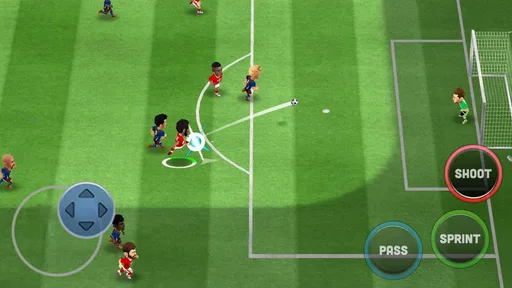
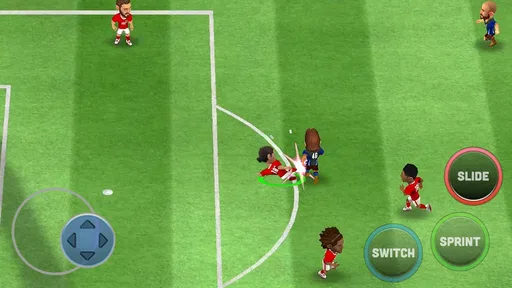
The first thing I notice is how little ceremony there is between opening the game and understanding what I’m meant to do. The early guidance introduces the basic controls, so a newcomer can get oriented without having to work through a long explanation. That makes it easier to try a match during a spare moment rather than setting aside an evening to learn a complicated control scheme.
That simplicity does not mean every match will feel effortless. Timing a pass or shot still matters, and defenders can interrupt an attack if I rush. I’d treat the controls as easy to pick up, not as a promise that every move will land exactly where I want. A useful habit is to spend the opening moments of a session paying attention to how quickly the action responds on your device, then adjust the pace of your play instead of swiping wildly at the first opening.
The game’s short-session style suits a commute while waiting for a connection, a quiet few minutes before an appointment, or a break between other tasks. I wouldn’t start a match if I had to put my phone away at any second, though: even a quick game is more enjoyable when I can give it my attention until the play is done.
How the action feels on a phone
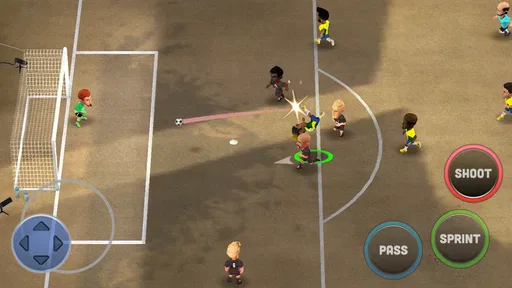
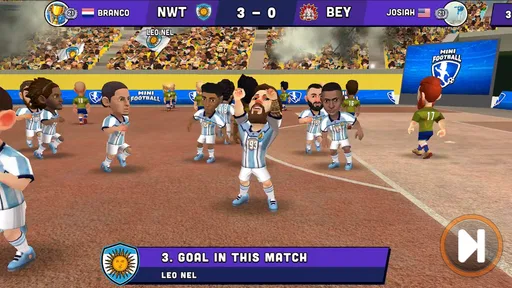
Mini Football keeps the emphasis on readable, lively soccer rather than on presenting a detailed broadcast-style simulation. The colorful look helps me follow the action, while the compact scale makes it feel approachable on a smaller screen. If you mainly want a phone game that lets you take shots and build attacks without mastering a deep set of controls, that is a sensible trade-off.
There is still a difference between an easy control scheme and an easy match. When the other side closes down space, a hurried attempt can waste a promising attack. I get more from slowing down for a moment and looking for a sensible pass than from trying to force a shot every time the ball reaches my player. That small change in approach can make a casual match feel more like a test of judgment than a reflex contest.
Compared with soccer games that aim for realistic tactics and a full simulation feel, this one is the more casual choice. That is a plus if you want quick entertainment, but a drawback if you enjoy carefully directing every phase of play or want the most lifelike match presentation. I’d choose a simulation-focused alternative for that kind of depth; here, I’d come for accessible action and a lighter commitment.
Worth Reading Before You Choose

Baby Panda World Brings Quick Play to Modern Phones, but Its Game Library Feels Busy

ESPN’s Live Game View Makes Following Close Games Easier

QuizzLand Review: A Good Fit for Short Trivia Breaks, Not Every Player

Basketball Stars: Multiplayer Is Fast, but Can It Recover When Matches Go Wrong?

WEBTOON Turns Phone Updates Into a Better Reading Routine

Link to Windows Runs on Shared Habits, Not Social Feeds
Getting Started: Easy Peasy
First things first, downloading Mini Football - Soccer Games is a breeze. Available on both Android and iOS, the app is lightweight and installs in no time. Once you're in, you're greeted with a slick interface that's designed with user-friendliness in mind. I mean, you could probably navigate this thing with your eyes closed. But don’t do that—you might miss some cool details!
Upon launching the app, you’re quickly introduced to the basics. A brief tutorial walks you through the controls, which are intuitive and simple. Swipe to shoot, tap to pass—easy, right? Even if you're new to mobile gaming, you'll feel like a pro in no time.
Gameplay: Fun with a Capital F
Now, let's get to the juicy part—gameplay! The matches are fast-paced and exciting. You can almost feel the adrenaline pumping as you dribble past defenders and aim for that top corner shot. Trust me, scoring a goal here feels just as satisfying as in real life. Well, almost.
The AI is pretty smart, giving you just the right amount of challenge. Whether you're a seasoned gamer or just looking for a fun way to kill some time, Mini Football has got you covered. Plus, the graphics are sharp and colorful, making each match a visual delight.
Customization: Make It Yours
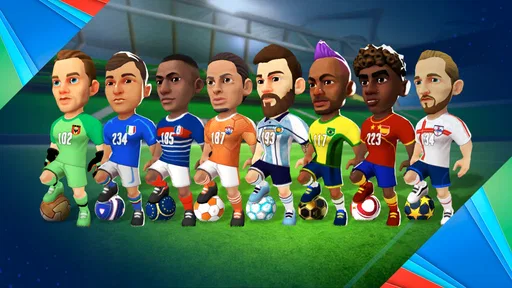
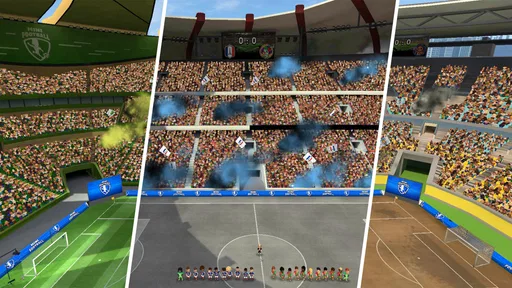
One of my favorite features is the customization options. You can personalize your team with different kits, logos, and even stadiums. It's like playing dress-up, but with soccer teams! I spent way too much time tweaking my team’s look—because who doesn’t want their players to look snazzy while scoring goals?
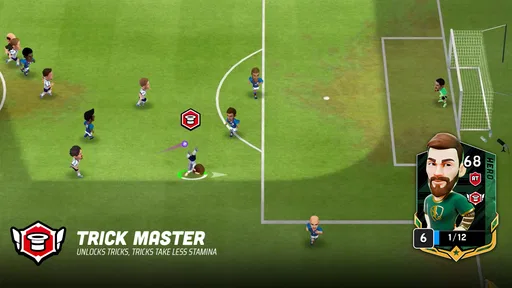
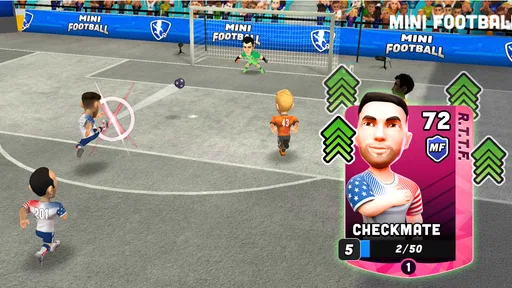
And don’t get me started on the player upgrades. As you progress, you can enhance your players' skills, making your team an unstoppable force. It's rewarding to see your squad evolve with each match.
Making progression work for you
Customizing a team is more than a way to make it look distinctive; it also gives me a reason to return between matches. I’d suggest choosing a look you enjoy early, then spending a little time learning what the available upgrade choices change before committing resources. The practical payoff is that you can make progression feel deliberate instead of tapping through every option just because it is visible.
There is a trade-off here for players who prefer to focus only on the pitch. Personalization and upgrades can add a satisfying longer-term goal, but they also invite extra menu time. If you mainly want a pure match-to-match challenge, keep those visits brief and treat team changes as an occasional check-in rather than a task you need to complete before every game.
For a casual player, a good routine is to play a match or two, review whether the team feels comfortable, and make one considered adjustment at a time. That makes it easier to notice whether a change helped, rather than altering several things and not knowing what made the difference. It is a small workflow, but it keeps the game’s management side from swallowing the quick-play appeal.
Sound and Music: Pump Up the Volume
The sound design is top-notch. The crowd's roar, the whistle's blow, the satisfying thud of a well-struck ball—it’s all here. The soundtrack is upbeat and energizing, adding to the overall excitement of the game. I found myself bobbing along to the tunes as I played. Who knew soccer could be this groovy?
Stability, device fit, and everyday use
Performance can feel different from one phone to another, so I wouldn’t assume that a game that feels smooth on one device will behave identically everywhere. The best real-world check is simple: try a brief session on your own phone and see whether the controls remain comfortable and the action stays responsive. If the device feels warm or the game seems less fluid during a longer stretch, shorter sessions are the sensible choice; there is no need to push a phone harder than you enjoy.
The listed minimum operating system is Android 7.1, which gives people with older compatible Android software a clear starting point when checking fit. I’d still keep enough free space for ordinary app use and avoid opening a match when the phone is already struggling with many active tasks. Those are practical habits rather than special requirements, and they help distinguish a device limitation from a problem with the game itself.
For reliability, I value whether I can return to a game without turning it into a troubleshooting project. If an interruption happens, reopen the app and check where you are before making another purchase or repeating an action; that is a prudent habit with any mobile game. I also wouldn’t rely on a match as a guaranteed way to fill a precise two-minute gap, since interruptions, loading, or an unexpected pause can make a supposedly tiny session less convenient.
In-App Purchases: Worth It or Not?
Alright, let's talk about in-app purchases. Yes, they exist, and yes, they can enhance your experience. But here's the thing: you don't need to spend a dime to enjoy the game. Everything can be earned through gameplay with a bit of patience. So, if you're a frugal gamer like me, you can still have a blast without breaking the bank.
However, if you’re the type who wants to speed things along or just can’t resist those shiny new kits, the option is there. It's nice to have choices, right?
Who will enjoy it, and who may want something else
I’d recommend this to soccer fans who want colorful, accessible matches and to people who enjoy gradually shaping a team without needing a console-style setup. It can also work for someone who does not follow soccer closely but likes quick competitive games: the basic idea is familiar, and the early guidance lowers the barrier to trying it.
I’d be less likely to recommend it to a player who wants strict realism, extensive tactical control, or a serious simulation of the sport. The light, fast-moving presentation is part of the appeal, but it is not the same thing as a detailed management or simulation experience. Likewise, if you dislike progression systems or prefer every session to be a self-contained match with no interest in team development, the customization layer may not hold your attention.
A realistic use case is playing after lunch while waiting for a meeting to begin: one match can provide a clear burst of entertainment, and the team options give you a reason to check back another day. If you have only a moment and need to stop instantly, choose a different kind of activity. If you have a few uninterrupted minutes and want something more involved than a single tap-based diversion, this is a better fit.
Final Thoughts: A Must-Try for Soccer Fans
In the end, Mini Football - Soccer Games is a delightful way to enjoy the beautiful game on your mobile device. It's engaging, visually appealing, and just plain fun. Whether you're a hardcore soccer enthusiast or simply looking for a casual game to pass the time, this app is worth checking out.
So go ahead, lace up those virtual boots and hit the pitch. Who knows? You might just discover your inner soccer star!
What to expect before installing
The game is free to download and is rated Everyone, which makes it an easy option to consider for a broad audience. It has a 4.6 average from around 770,000 ratings and has passed 50 million installs. Those numbers suggest that it has found a large audience, but they cannot tell you whether its pace or team-building loop will suit your own taste. I’d use them as context, then judge it by the kind of soccer experience you actually want.
In-app purchases range from $0.99 to $99.99 per item, so it is worth setting expectations before handing the phone to a child or tapping through a purchase prompt. Spending is optional for enjoying the game, but optional purchases can still make it easier to spend more than intended. I’d keep purchases behind device-level safeguards if other people use the phone, and decide in advance whether you are happy to progress at a slower pace without buying anything.
The game was released on September 22, 2020, and its current version is 4.4.0. I see that as useful context when deciding whether to try it, rather than a guarantee that every device or player will have the same experience. For me, the strongest reason to install is the combination of quick soccer action and team personalization; the clearest reason to pass is wanting a more realistic, tactics-heavy alternative.
Performance verdict
My overall take is that this is best approached as an accessible mobile soccer game, not as a demanding simulation or a test of phone performance. The match pace, simple controls, and colorful presentation make it easy to try in short bursts, while customization and upgrades offer a reason to keep returning. The main trade-offs are the lighter sporting depth, the time that optional progression can absorb, and the need to see how it feels on your own device.
If that balance sounds right, I’d give it a try and begin with a short session before deciding whether to spend time on upgrades or purchases. If you want deeper tactics or a closer recreation of a full soccer match, another game in the sports category will likely be a better fit. For everyone else who wants approachable football action with room to make a team their own, it is an easy one to consider.
Pros
- Simple
- intuitive controls for quick learning.
- Fast-paced matches ideal for short sessions.
- Wide variety of teams and customizations.
- Regular events and updates keep gameplay fresh.
- Engaging graphics that enhance user experience.
Cons
- Occasional lag during online matches.
- In-app purchases can be costly over time.
- Limited strategic depth for advanced players.
- Ads can be intrusive between matches.
- Requires stable internet for optimal play.
FAQs for Mini Football - Soccer Games
What are the main features of Mini Football - Soccer Games?
Mini Football - Soccer Games offers a casual, arcade-style soccer experience that is easy to pick up and play. The game features customizable teams, quick matches, and real-time tournaments. Players can also choose from a variety of stadiums and unlock new kits, logos, and players to enhance their gameplay experience.
Is Mini Football - Soccer Games free to play?
Yes, Mini Football - Soccer Games is free to download and play on both Android and iOS platforms. However, the game includes in-app purchases, allowing players to buy in-game currency and special items to enhance gameplay and customize their teams more quickly.
What are the system requirements for Mini Football - Soccer Games?
Mini Football - Soccer Games requires Android 5.0 or higher and iOS 10.0 or later. The game is optimized for smartphones and tablets, ensuring smooth performance on a wide range of devices. It's recommended to have a stable internet connection for the best online gaming experience.
Can I play Mini Football - Soccer Games offline?
While Mini Football - Soccer Games offers some offline features, such as quick matches against AI, many elements, including tournaments and leaderboards, require an internet connection. For the full experience, playing online is recommended to access all features and compete with other players globally.
How does the matchmaking system work in Mini Football - Soccer Games?
The matchmaking system in Mini Football - Soccer Games pairs players based on their skill levels and team strengths to ensure balanced and competitive matches. As you progress and improve your skills, you’ll be matched with players of similar abilities, providing a challenging and engaging experience.


